 ShopNx
Let shoppers cancel an order before it ships
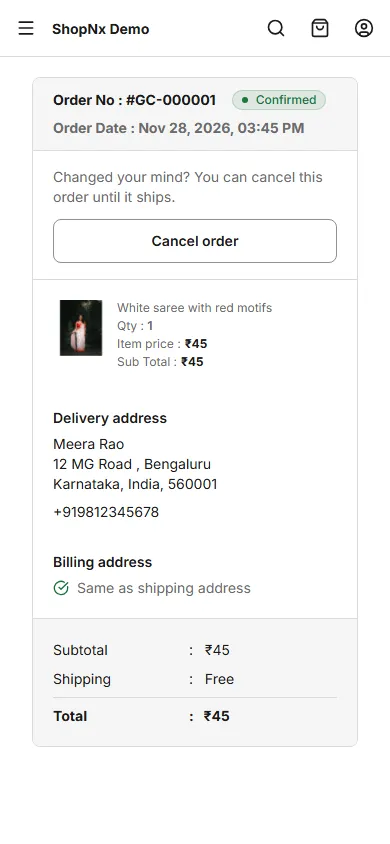
A shopper who changes their mind can cancel from Track My Order, as long as nothing has shipped. You decide whether each request waits for your approval. Stock goes back on the shelf, and a prepaid order is refunded in full.
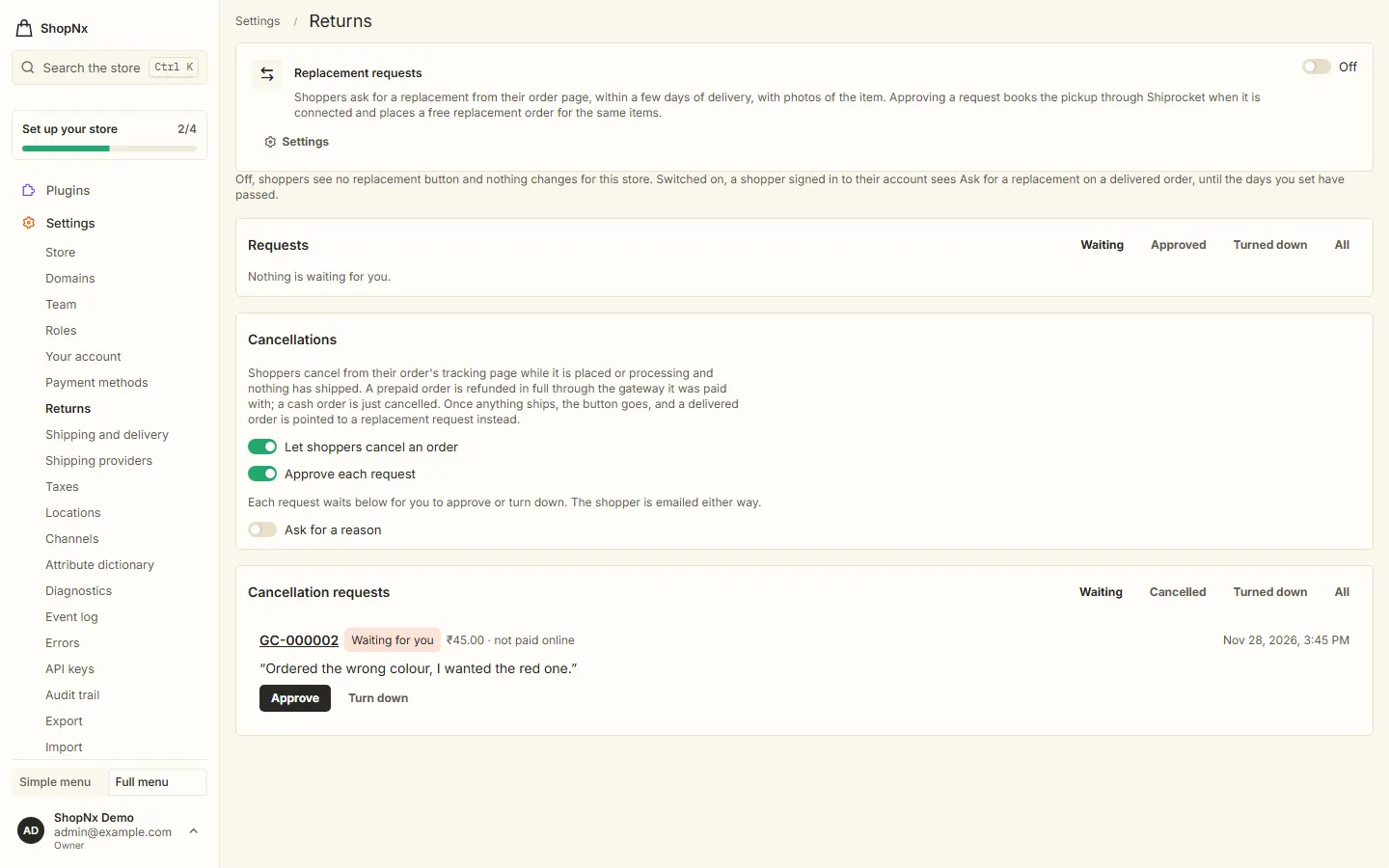
Switch it on
- Open Settings › Returns in your ShopNx panel and find the Cancellations card.
- Turn on “Let shoppers cancel an order”. It’s off until you do.
- Choose “Approve each request” to check every request first (the default), or switch it off so orders cancel at once. Turn on “Ask for a reason” if you want to know why.
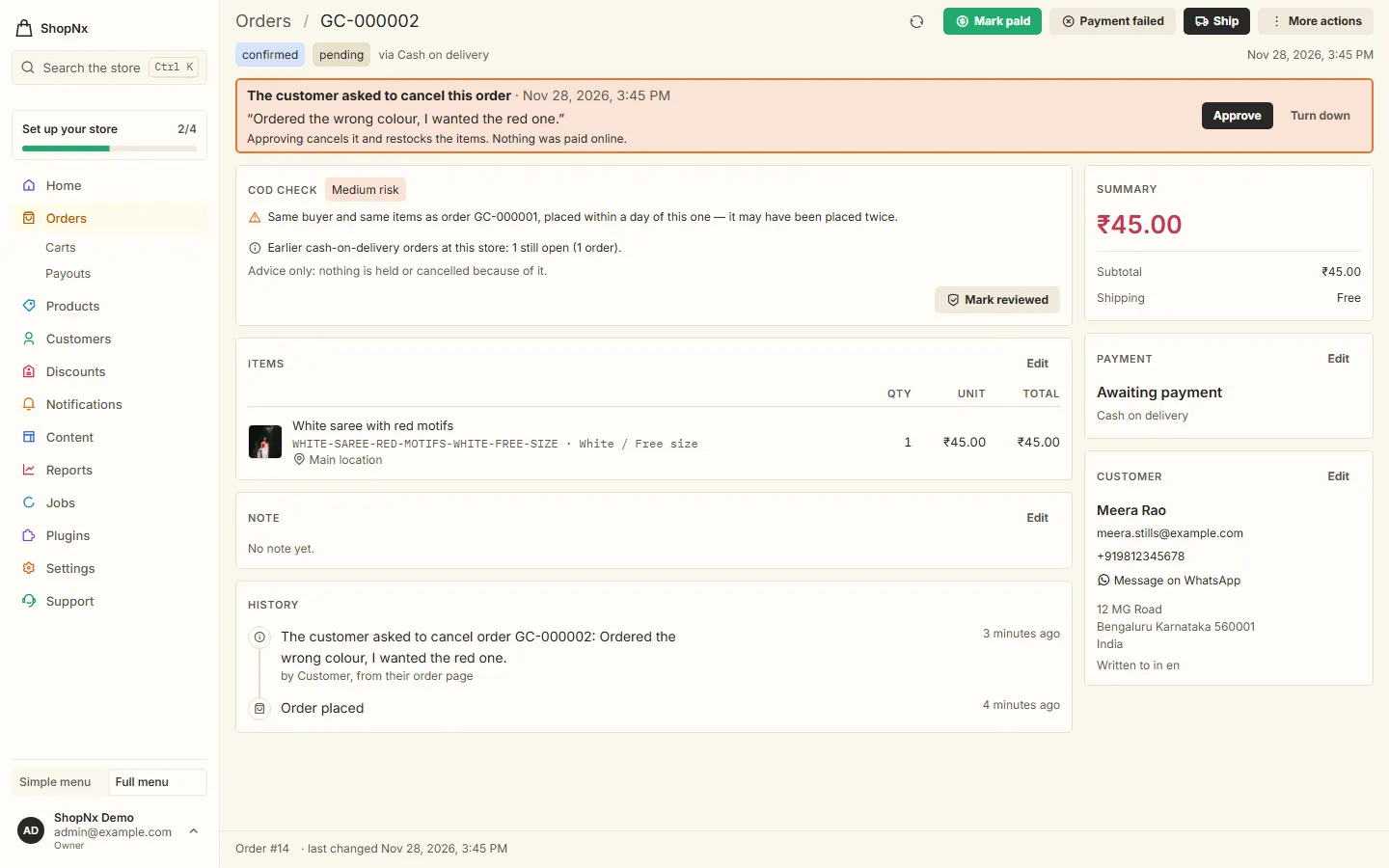
When a request comes in
The order page shows a red banner with the shopper’s reason and two buttons: Approve cancels the order, restocks the items and refunds a prepaid order; Turn down keeps it going and tells the shopper.
Why it helps
- Fewer refused parcels: a shopper who no longer wants the order says so before you ship, not at the door.
- No back-and-forth: no chat to cancel, no manual refund to remember.
- Your call: approve each one, or let them go through on their own.
This was built the same evening a seller asked for it; see the Build Diary.
Questions sellers ask
Until when can a shopper cancel?
While the order is placed or processing and nothing in it has shipped. Once you ship, the Cancel button goes away.
What happens to the money?
A prepaid order is refunded in full through its payment gateway once the cancellation goes through. A cash on delivery order is simply cancelled, since nothing was paid.
Do I have to approve every request?
That’s the default: each request waits for you to approve or turn it down. Switch off “Approve each request” and orders cancel the moment the shopper asks.
Who gets told?
The shopper gets an email when the request is approved or turned down. Your store’s contact email hears about each request, each instant cancellation, and any refund that didn’t go through.