 ShopNx
Sell print-on-demand products with Printrove
Printrove prints and ships the products for you. Connect your Printrove account, match each product in your store to its Printrove variant once, and every order for it goes to Printrove by itself. This is in Beta: it has not yet been tried with a real Printrove order.
How do orders flow?
- Shopper orders A prepaid order once it is paid, or a cash-on-delivery order once it is placed.
- Sent to Printrove Only the items with a Printrove variant id go, once, with the shopper’s address.
- Printrove prints The order’s Printrove card says At Printrove, being made.
- Dispatched The waybill becomes the order’s shipment, and your shopper is told it is on its way.
- Delivered Out for delivery, failed delivery, returns and delivery show on the order too.
Set it up
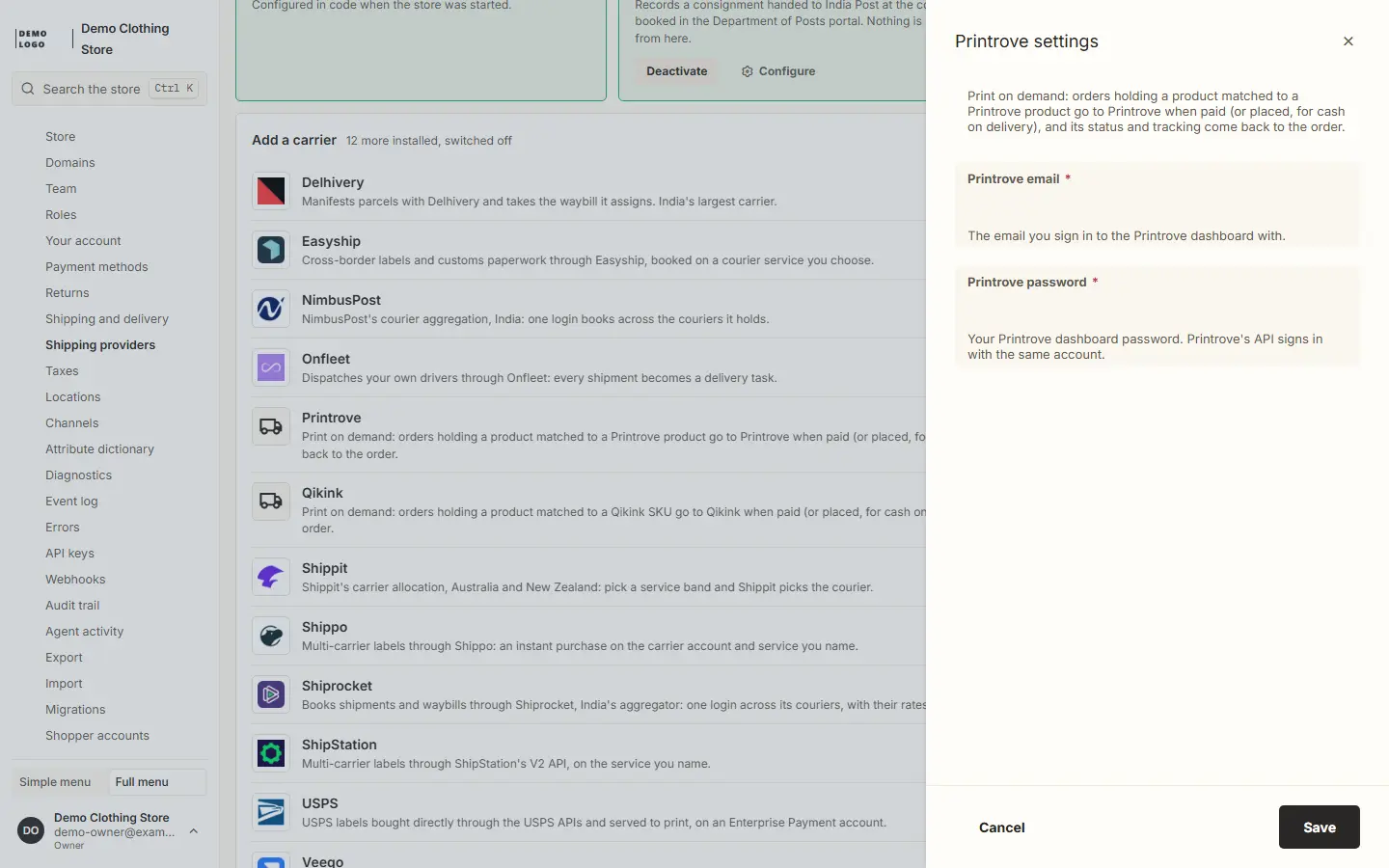
- In your ShopNx admin, go to Settings › Shipping providers, open Printrove, switch it on, and enter your Printrove email and Printrove password, the ones you sign in to the Printrove dashboard with.
- Design each product in Printrove’s Product Library. Each size or colour gets a variant id.
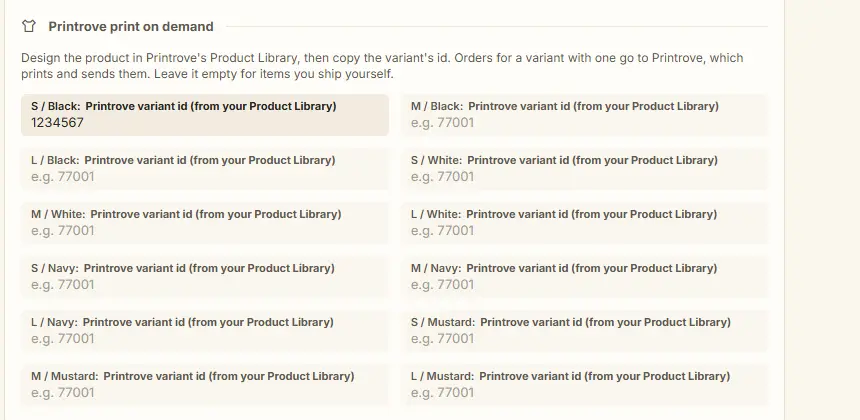
- In ShopNx, open the product and in its Printrove print on demand card fill in Printrove variant id (from your Product Library) for each size or colour, then save. Leave it empty for items you ship yourself.
- Keep credit in your Printrove wallet, so orders are not held for a top-up.
What comes back to the order?
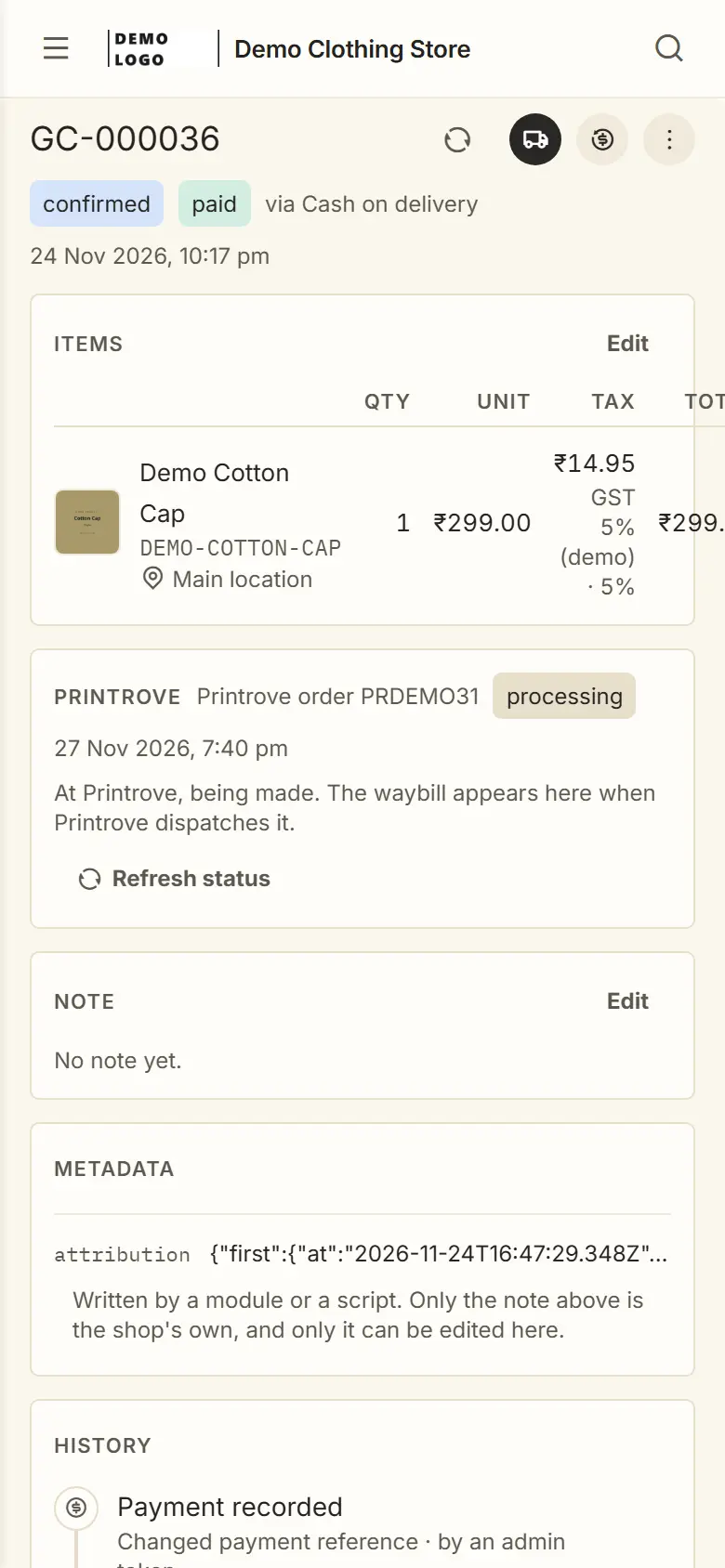
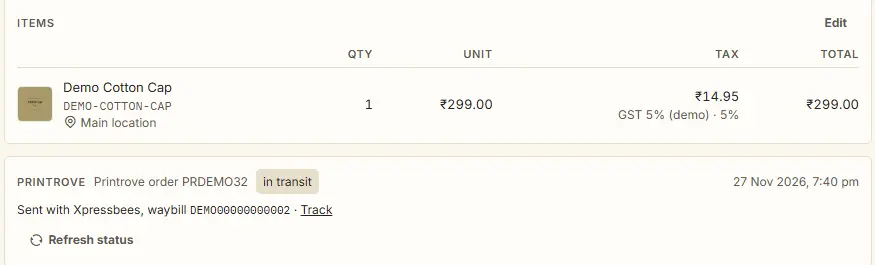
The order page gets a Printrove card. It shows Printrove’s order number and status, At Printrove, being made while it is printed, and once dispatched the courier, waybill and a Track link. Refresh status asks Printrove now; ShopNx also asks about every open order about every half hour.
If Printrove needs more information about an order, its card says so.
Match many products at once
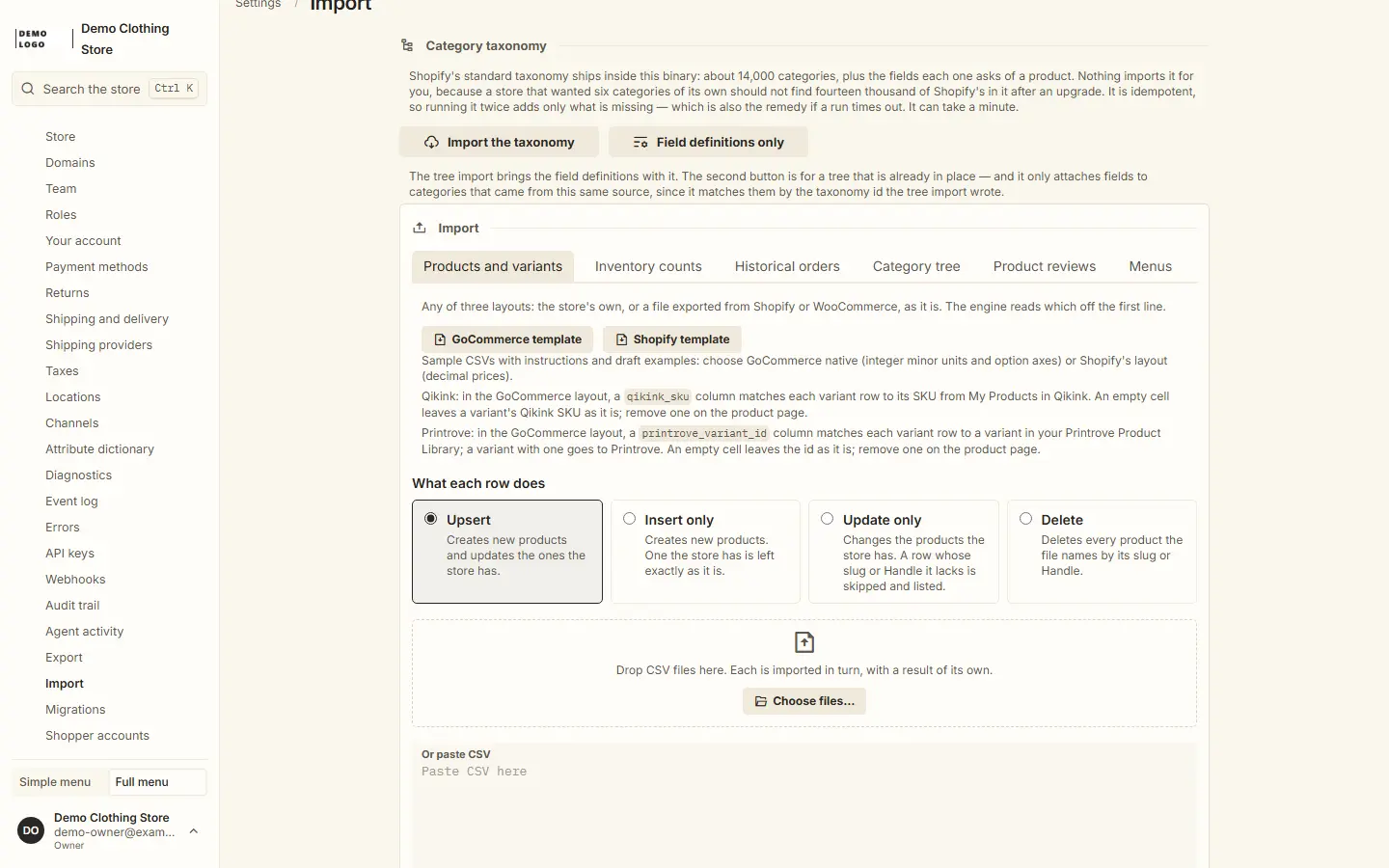
Go to Settings › Import › Products and variants. Add a printrove_variant_id column, fill
it in on each variant’s row, and upload the file. A variant with an id goes to Printrove. An empty cell leaves the id
as it was; remove one on the product page.
Also on ShopNx: Qikink and Merch Factory print-on-demand, and every service you can connect on integrations.
Create your free store and connect Printrove.
Questions sellers ask
Can I import my products from Printrove?
No. Design each product in Printrove’s Product Library, add it to your store yourself, then give each size or colour its Printrove variant id.
What if my Printrove wallet is empty?
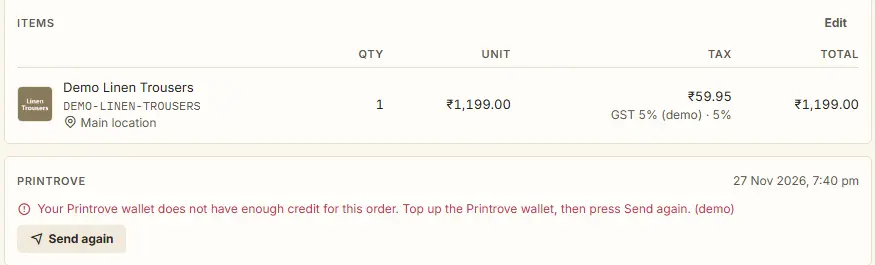
If your Printrove wallet is short of credit, Printrove refuses the order. ShopNx holds it, and its card asks you to top up the wallet and then press Send again.
Can one order mix Printrove products and my own stock?
A prepaid order can: only the Printrove items go, and you ship the rest. A cash-on-delivery order that mixes both is held, because Printrove’s courier would collect the whole total for only part of the order. Send it from the Printrove dashboard by hand.
What if a variant id is wrong, or Printrove refuses an order?
Printrove’s reason and error code show on the order’s Printrove card. Fix the id on the product, or whatever Printrove named, then press Send again. An order is never sent twice.
What if I cancel an order?
A cancelled order is never sent. If it already went to Printrove, cancel it in your Printrove dashboard too.
Which orders are held?
Orders Printrove cannot take as they are: an empty wallet, a cash-on-delivery order mixed with your own items, an order with part paid online and the rest due on delivery, an address without a six-digit PIN code, an order not in rupees, or one going outside India. Each shows why on its card.