 ShopNx
Start free on ShopNx. Move to Shopify anytime.
Your store isn’t locked in. One click in your panel makes your products and customers ready for Shopify, in Shopify’s own import format. We would rather you stay because the store works, not because leaving is hard.
- products-shopify.csv
- customers-shopify.csv
- orders-shopify.csv
What moves, and what doesn’t
- ProductsWith variants, prices, SKUs and stock.Moves
- Product photosLinked in the file, so Shopify fetches them.Moves
- CategoriesEach product goes into a collection named after its ShopNx category.Moves
- CustomersNames, emails, phone numbers and addresses. Nobody is signed up for marketing.Moves
- Past ordersDownload in Shopify’s layout as your record. Importing them needs a Shopify app.As a file
- Customer passwordsNo platform exports them. Customers set a new one on Shopify.Set up again
- Payments and shippingConnect your gateway and courier again in Shopify.Set up again
How to move your store to Shopify
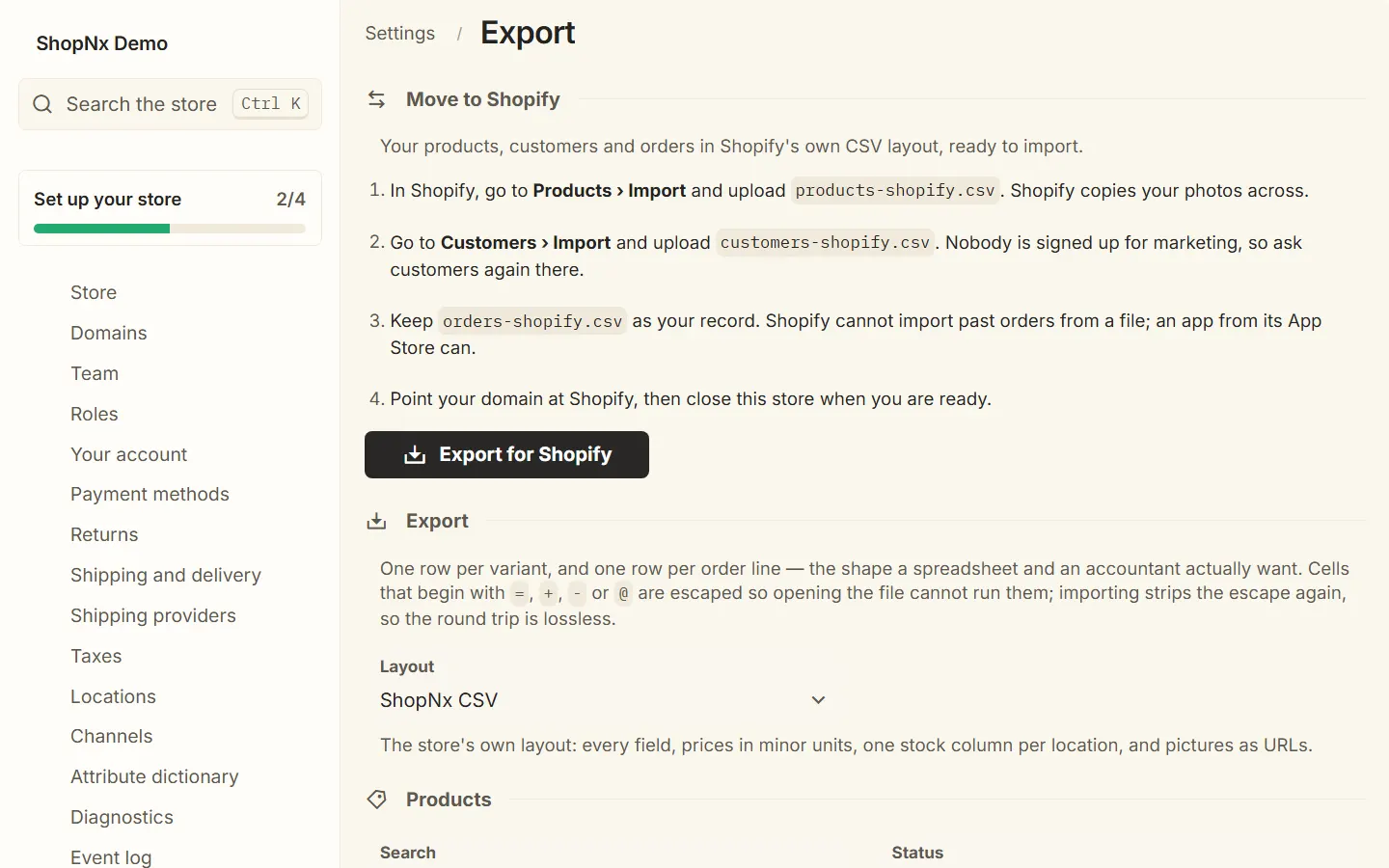
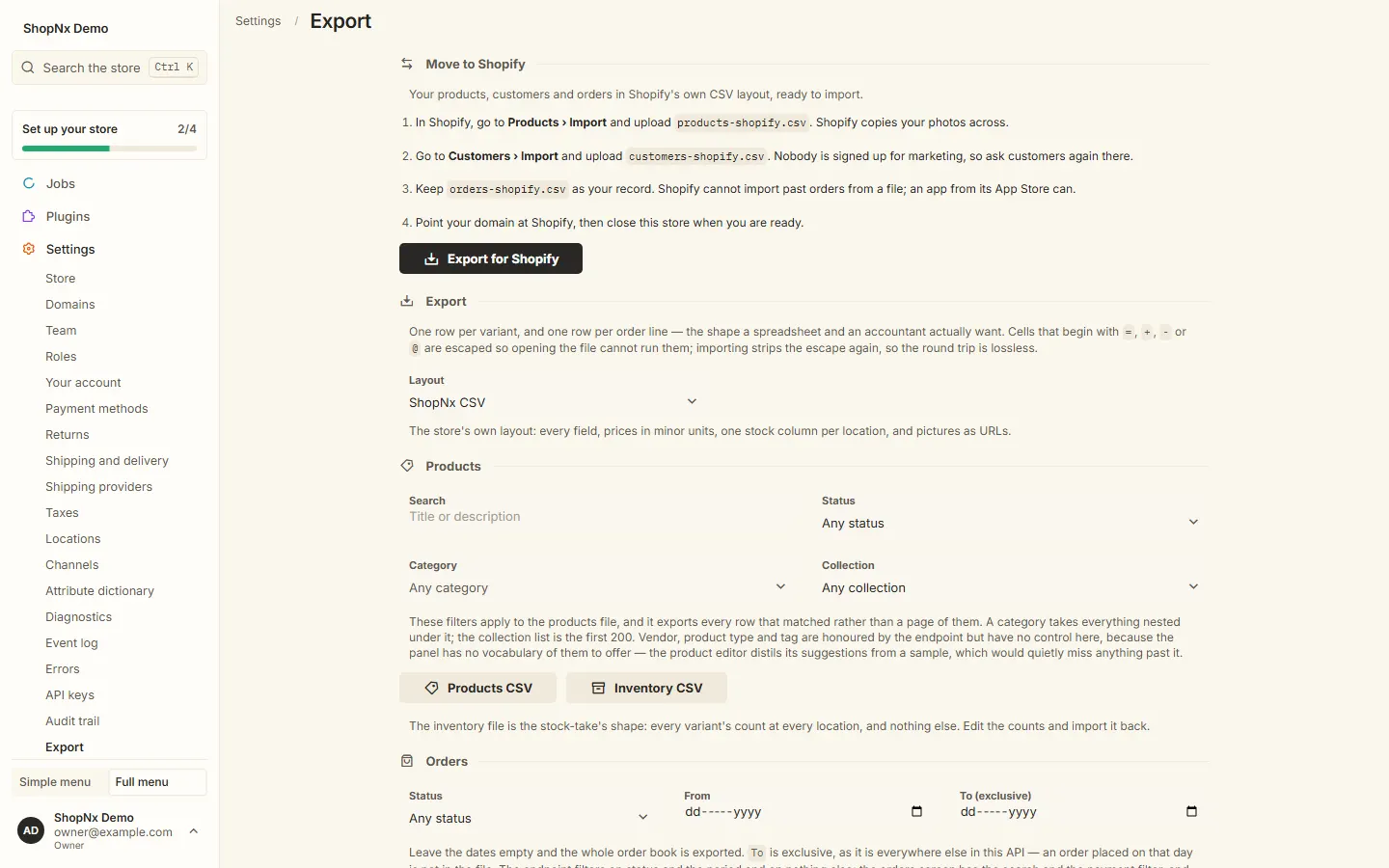
- In ShopNx
Export for Shopify
Open Settings › Export. In the “Move to Shopify” box, press Export for Shopify. Three files download.
- In Shopify
Import your products
Go to Products › Import and upload products-shopify.csv.
- In Shopify
Import your customers
Go to Customers › Import and upload customers-shopify.csv. Ask customers to subscribe to emails again.
- Keep
Keep your orders file
orders-shopify.csv is your record of past orders, or bring it in with an app from the Shopify App Store.
- Last
Point your domain
Point your domain at Shopify, then close your ShopNx store when you’re ready.
A direct migration, with no files
We’re building a direct move, so your products and customers go across without downloading and uploading files. Until then, the export above does the job in a few minutes.
Why start on ShopNx first
A ShopNx store costs ₹0 a month and ₹0 per order, with no contract. Open it, add your products and take your first orders without a monthly bill. If you outgrow it, the move above takes your products and customers with you. Compare the two in ShopNx vs Shopify, or see pricing.
Start free today. Move to Shopify whenever you want.
Create your free storeShopify is a trademark of Shopify Inc. ShopNx is not affiliated with, sponsored by or endorsed by Shopify. We name it only to describe where your exported files can be imported.
Questions sellers ask
Is it really one click?
One click in ShopNx makes all three files, already in Shopify’s import format. You then upload them in Shopify, which takes a few minutes. A direct migration with no files is being built.
Do my past orders move to Shopify?
They download as orders-shopify.csv in Shopify’s layout, as your record. Shopify does not import order history from a file, so bringing them into Shopify needs an app from the Shopify App Store.
Do my customers’ passwords move?
No. Passwords never leave any platform, so your customers set a new one on Shopify the first time they sign in.
Does moving cost anything on ShopNx?
No. The export is part of every store, at ₹0 a month. Shopify’s own plans are paid, so check them before you move.
Can I export my data without leaving?
Yes. The same Export page downloads your products, orders, customers, inventory and categories as CSV whenever you like.