 ShopNx
Sell print-on-demand products with Printify
Printify prints and ships the products for you. Connect your Printify account, match each product once, and every paid order for it goes to Printify by itself. This is in Beta: it has not yet been tried with a real Printify order.
How do orders flow?
- Shopper pays A paid order with at least one matched item. A cash on delivery order waits.
- Sent to Printify Only the matched items go, once, with the shopper’s address.
- Printify prints Printify makes the order and charges your Printify account.
- Shipped Tracking comes back to the order, and your shopper can follow it.
Set it up
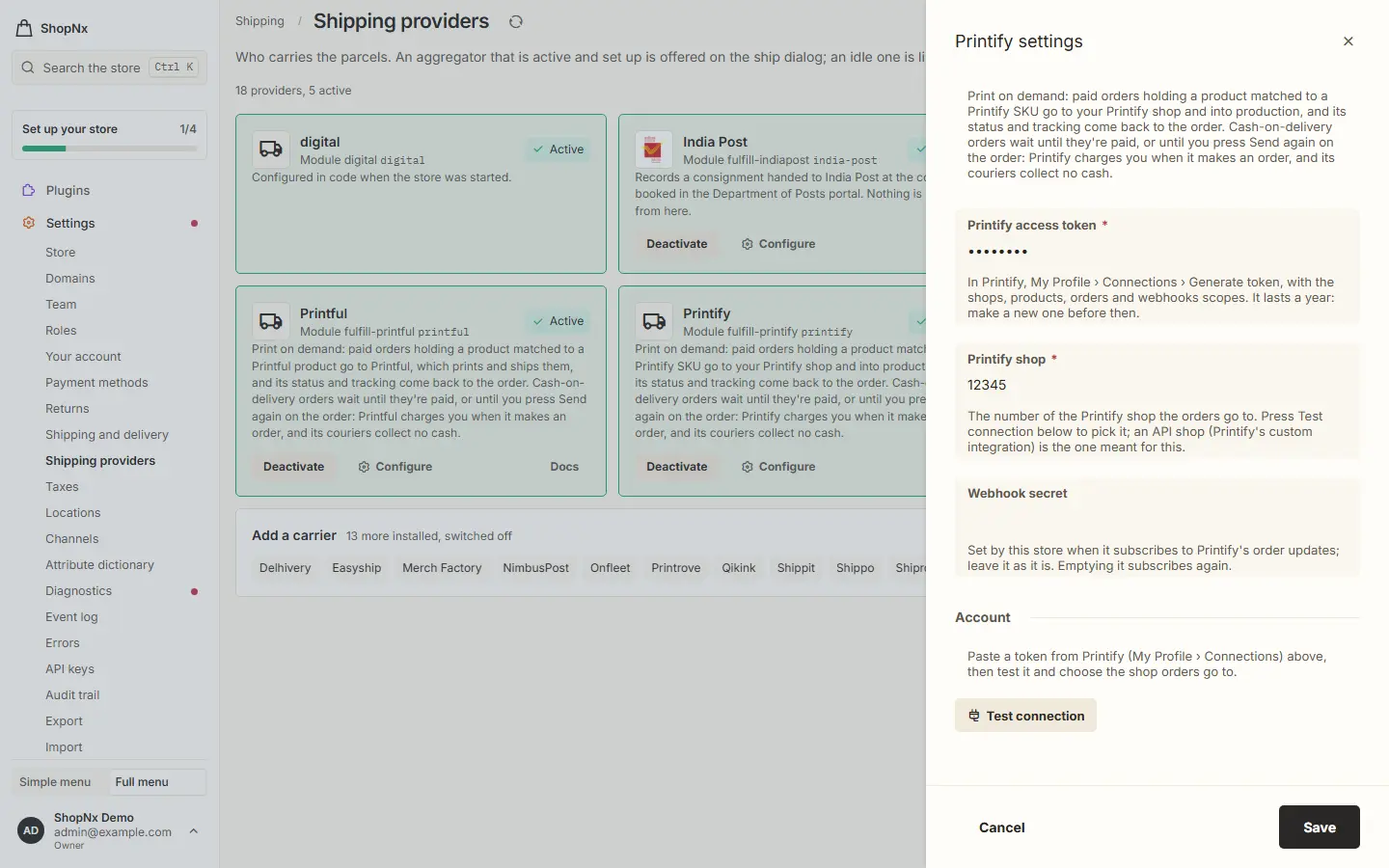
- In Printify, open My Profile › Connections and create a personal access token with the shops, products, orders and webhooks scopes.
- In your ShopNx admin, go to Settings › Shipping providers › Printify, paste it as Printify access token, press Test connection and pick your Printify shop.
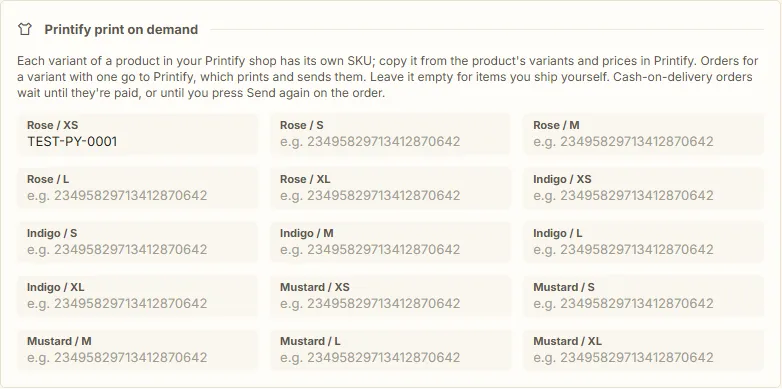
- On each product, fill in Printify SKU for each size or colour. Leave it empty for items you ship yourself.
Match many products at once
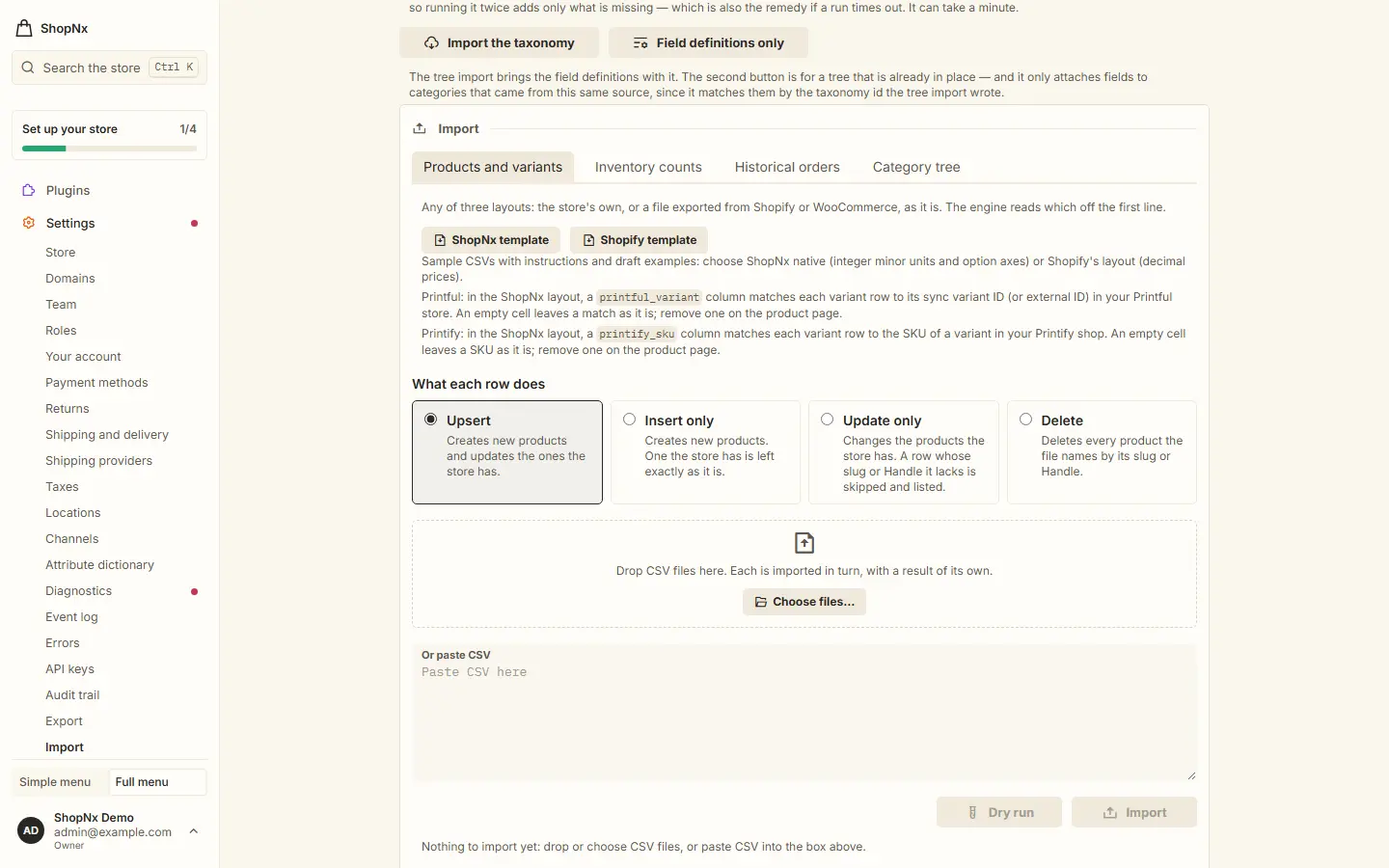
Go to Settings › Import › Products and variants, add a printify_sku column, fill it in on
each variant’s row, and upload the file. Items without a match ship as usual.
Cash on delivery
Printify charges you when it makes an order, and its couriers don’t collect cash. So a cash on delivery order waits until it is paid, or until you press Send again on the order. For print-on-demand that takes cash on delivery straight away, see Qikink or Printrove.
What comes back to the order?
Printify tells your store by signed webhook when it ships, and the order gets the tracking. ShopNx also checks every open order about every half hour.

Every service you can connect is on integrations.
Printify is a trademark of its owner. ShopNx is not affiliated with or endorsed by Printify.
Questions sellers ask
Does cash on delivery work?
Not straight away. Printify charges you when it makes the order, and its couriers collect no cash, so a cash on delivery order waits until it is paid, or until you press Send again on the order.
Can one order mix Printify products and my own stock?
Yes. Only the items matched to Printify go to Printify; you ship the rest as usual.
Do I need a Printify account?
Yes, your own. Printify bills you for each order it makes, and ShopNx connects with a token from your account.
Is an order ever sent twice?
No. Each order goes to Printify once.